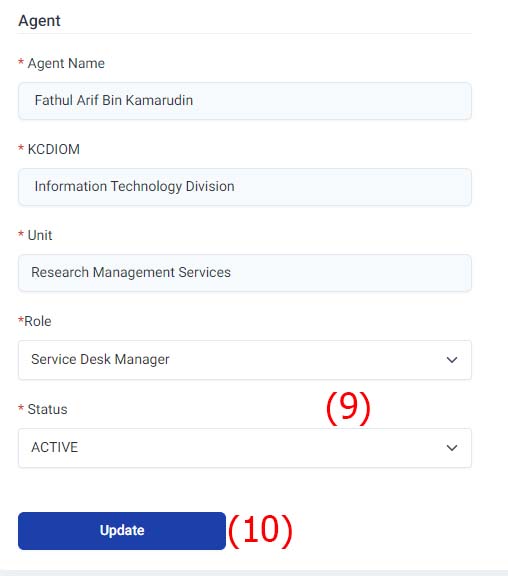
Super Admin - Manage Agent
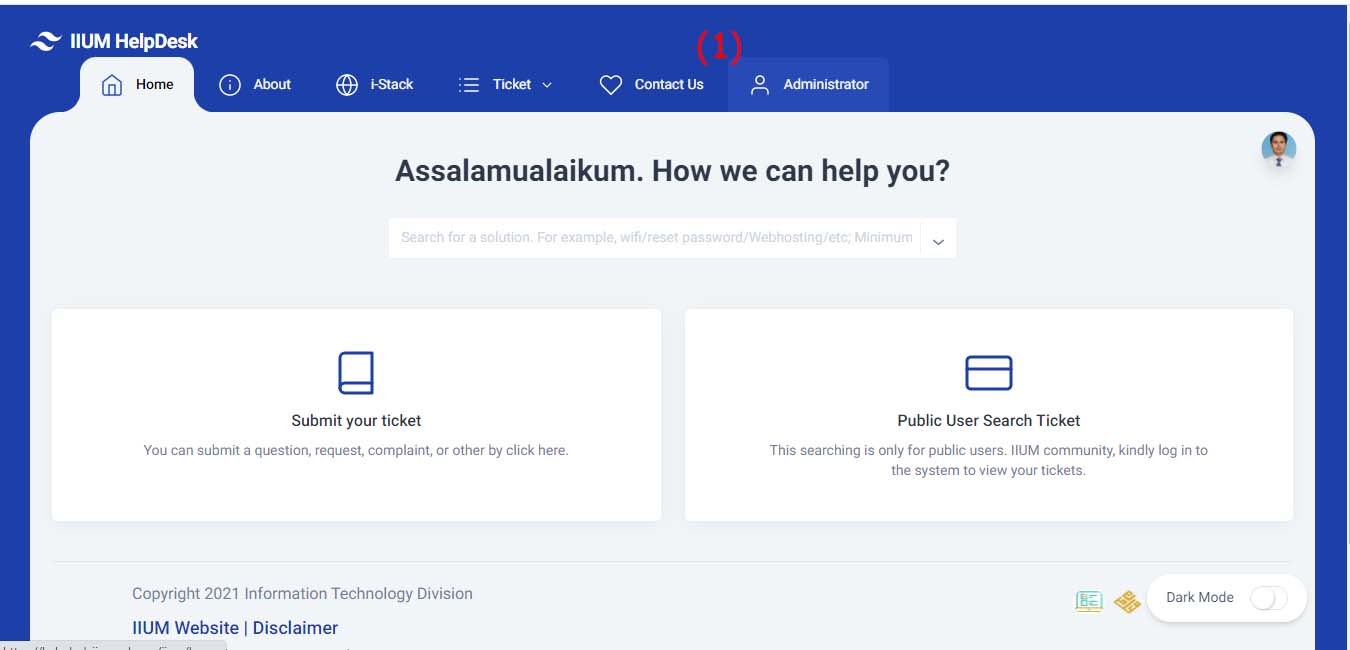
1. Click Administrator Tab
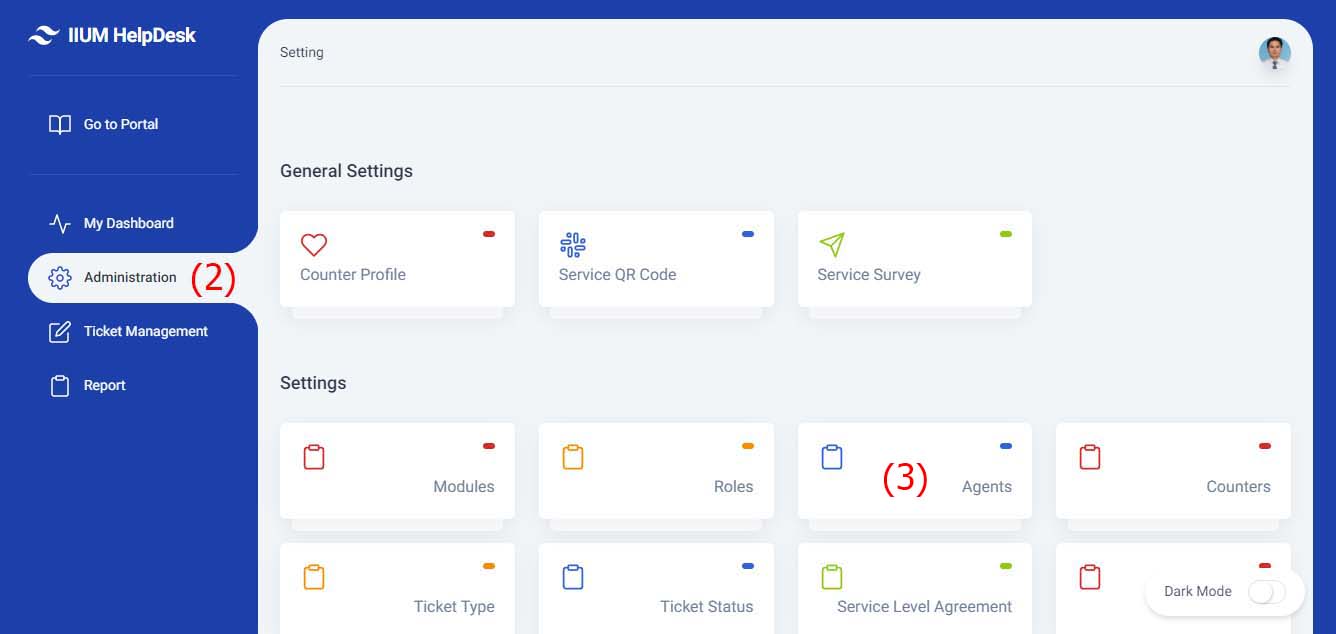
2. Click Administration Menu
3. Click Agents Module
Create New Agent
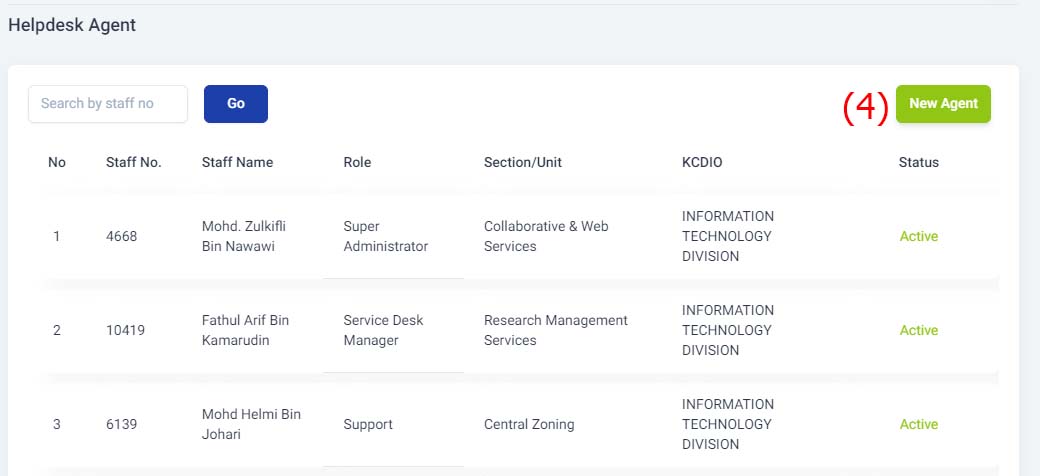
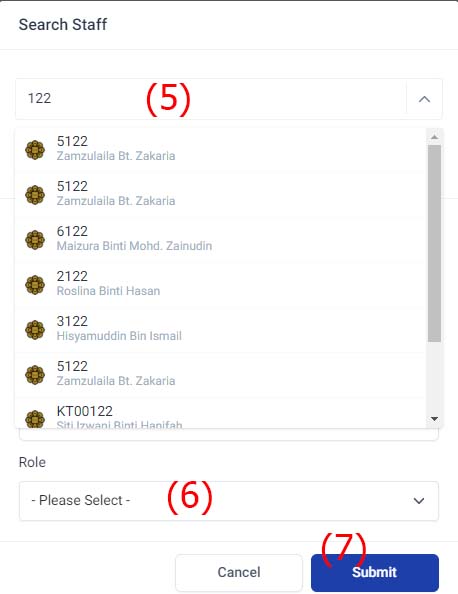
5. Key in agent's staff number & select from the listing
6. Key in role for agent
7. Click Submit button
Update Agent
8. Click Agent from listing
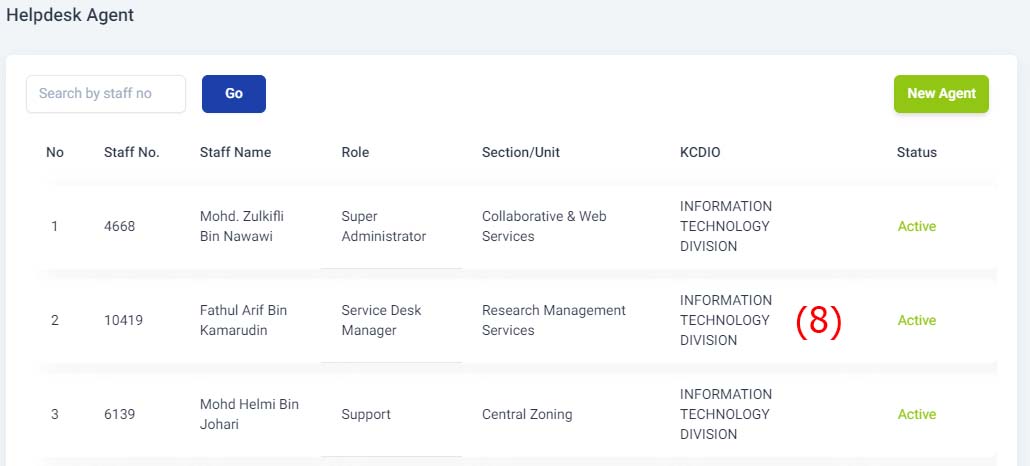
9. Update Agent's Role & Status
10. Click Update button