
IIUM Live Email Guidelines
HOW TO CREATE A NEW IIUM LIVE EMAIL TO ACCESS
MICROSOFT PRODUCTS
Register your LIVE IIUM email to get 5TB storage and get access to Microsoft.
Here's how to set one up:
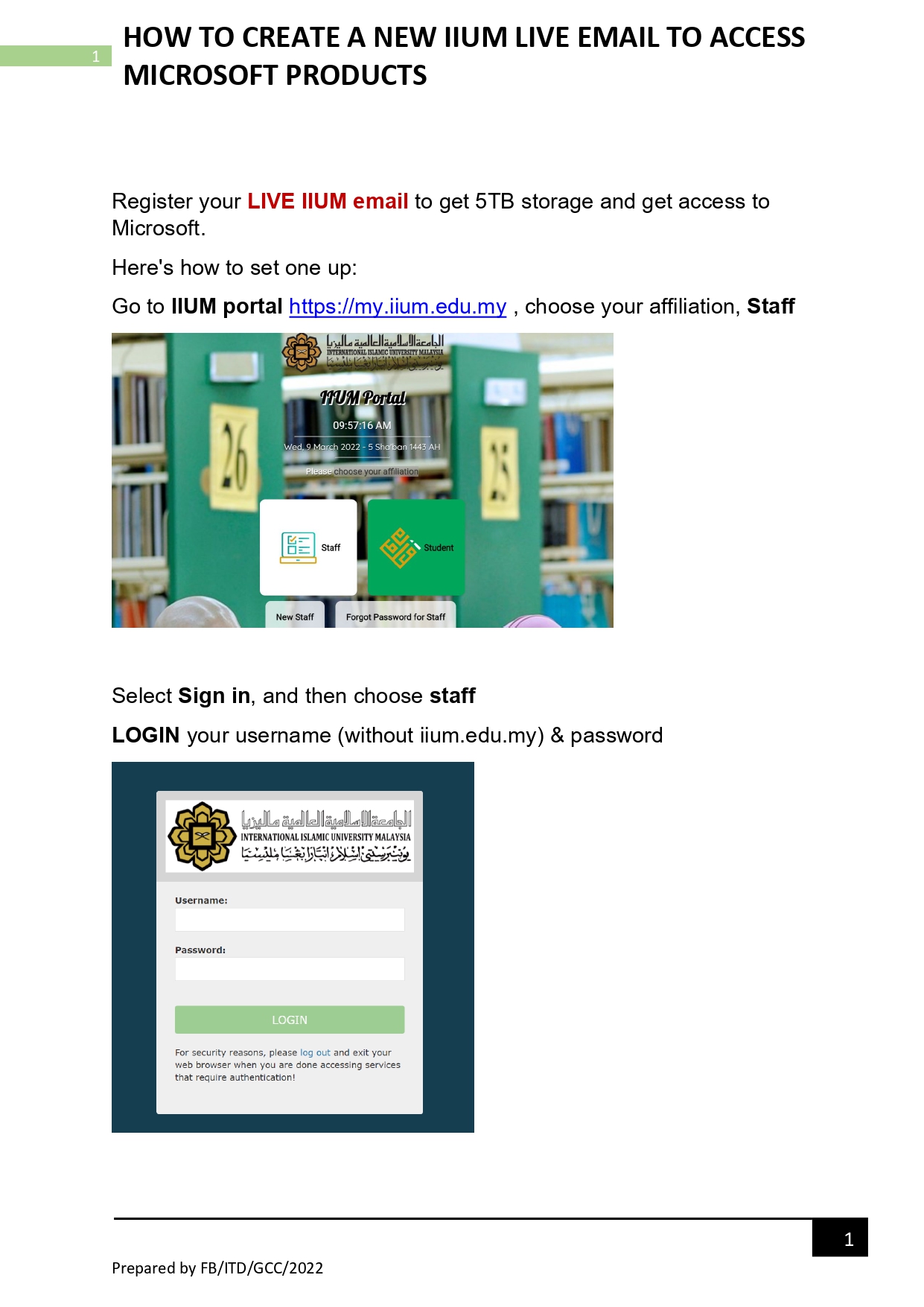
- Go to IIUM portal , choose your affiliation, Staff
- Select Sign in, and then choose Staff
LOGIN your username (without iium.edu.my) & password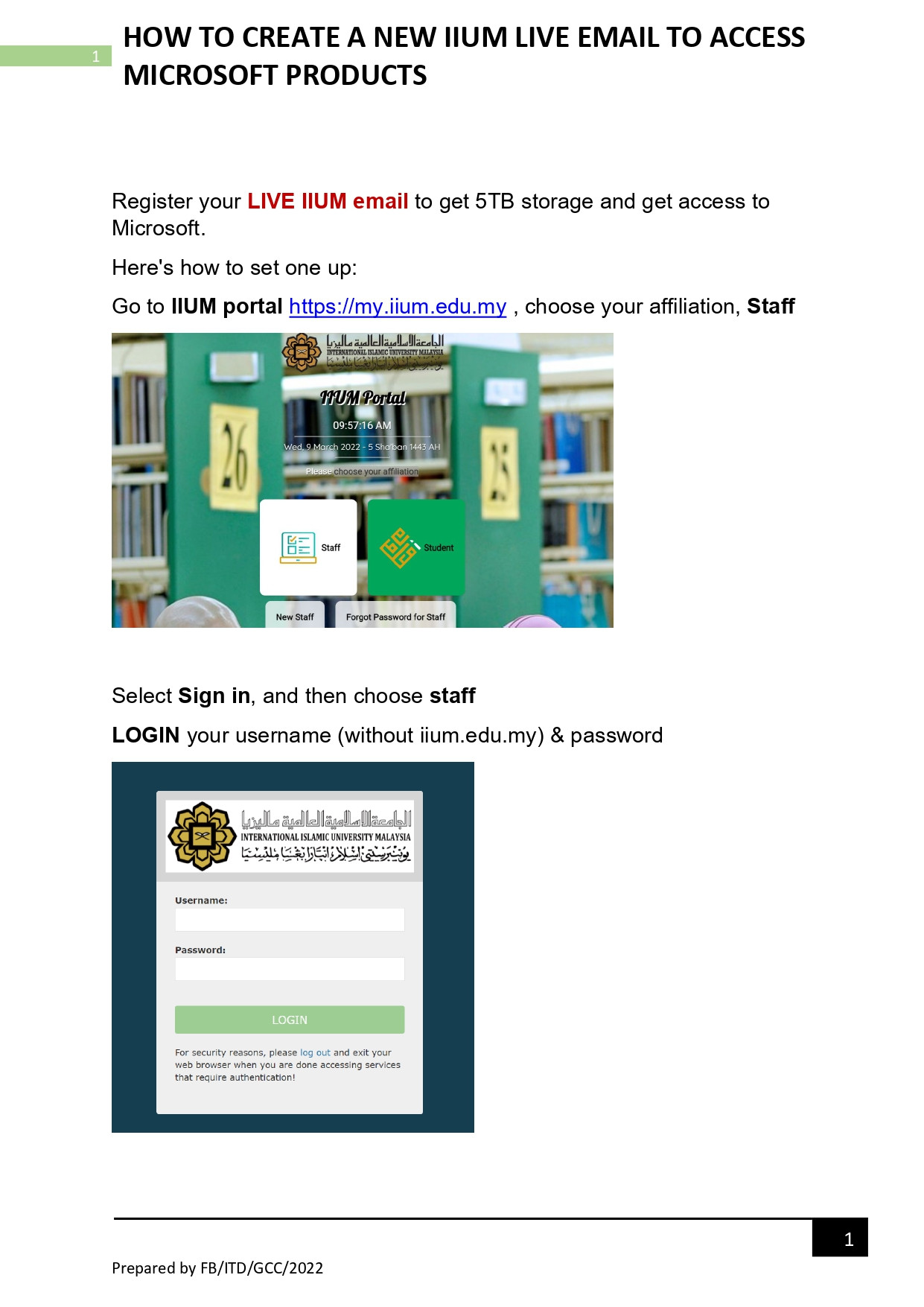
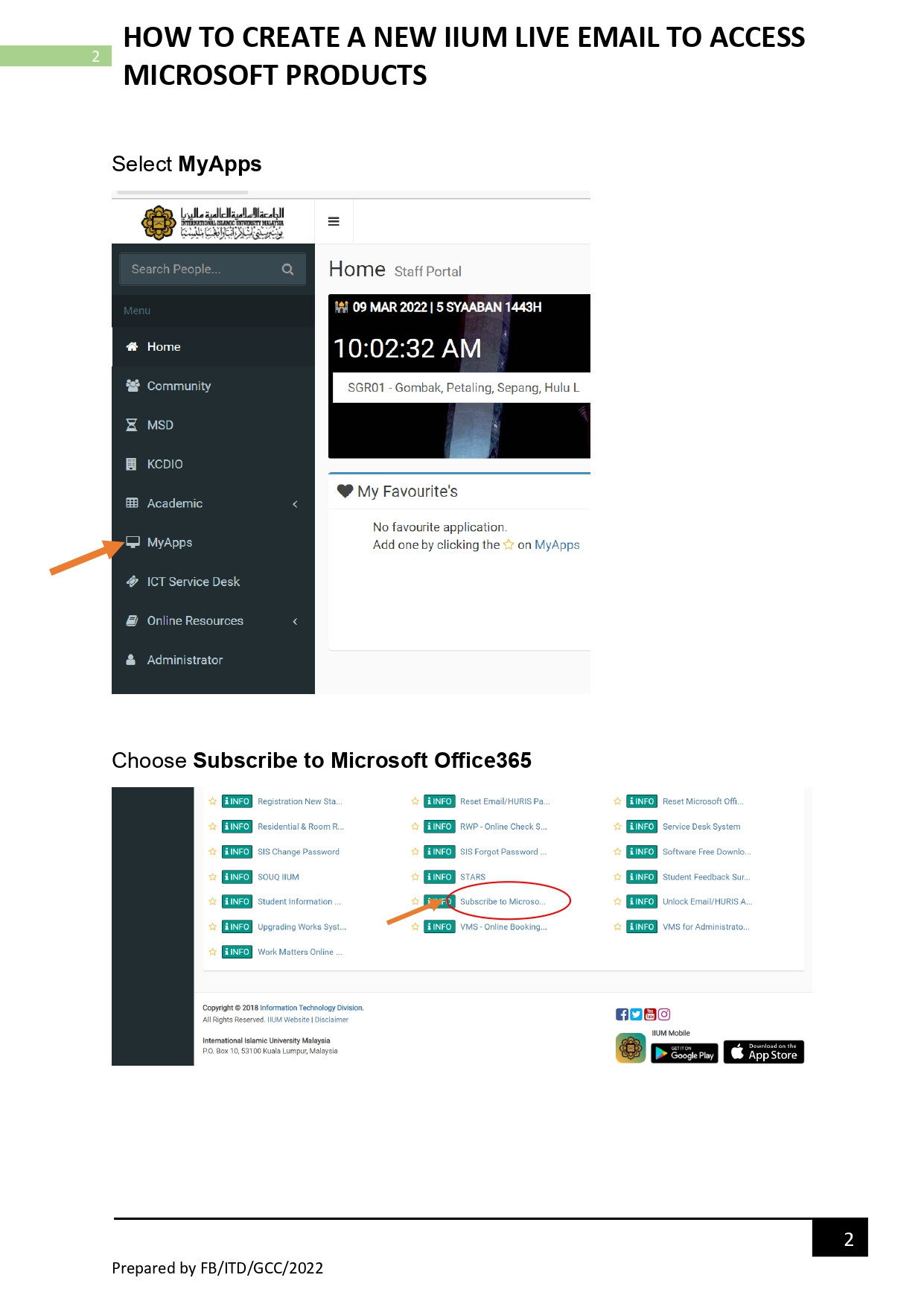
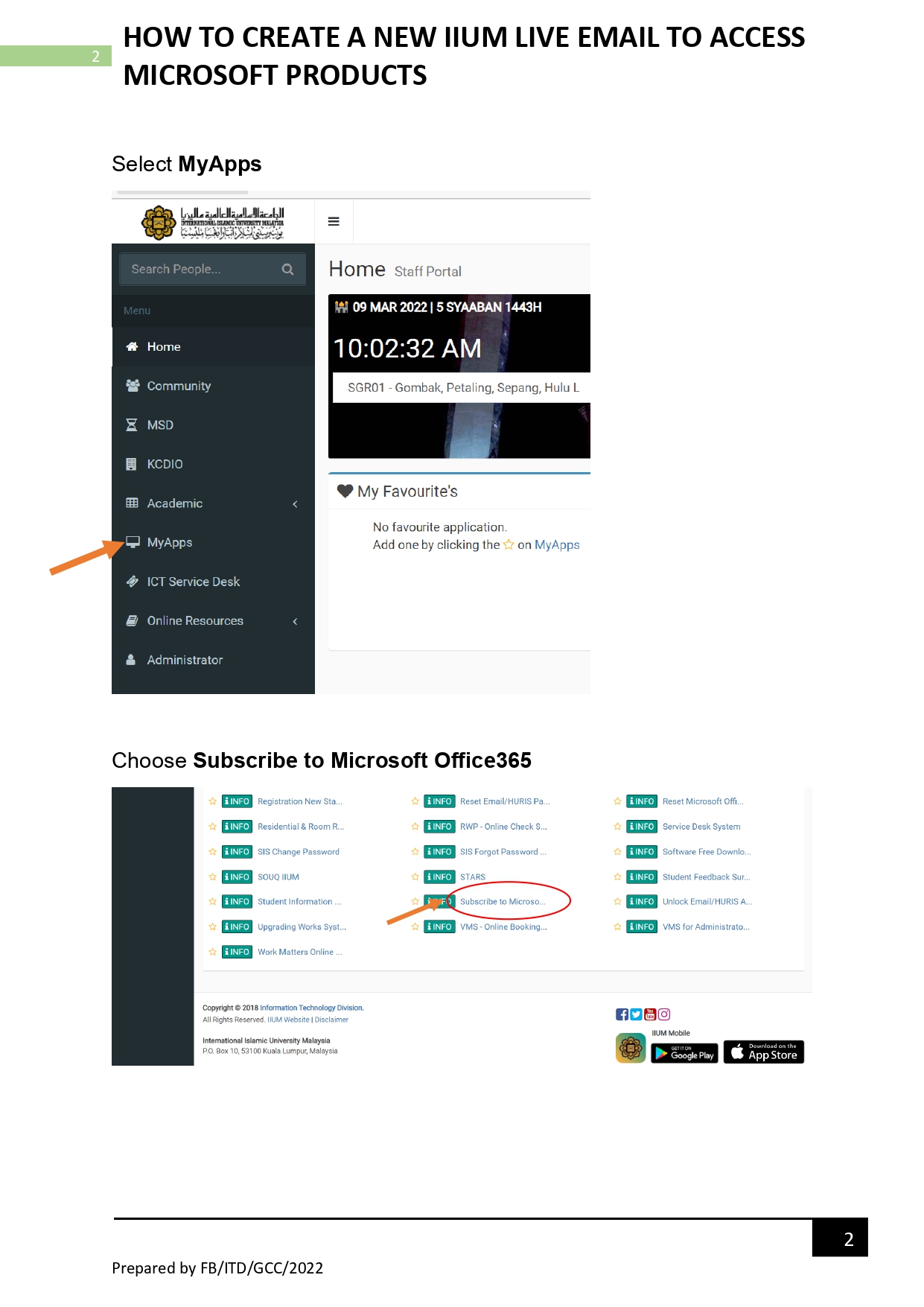
- Select MyApps
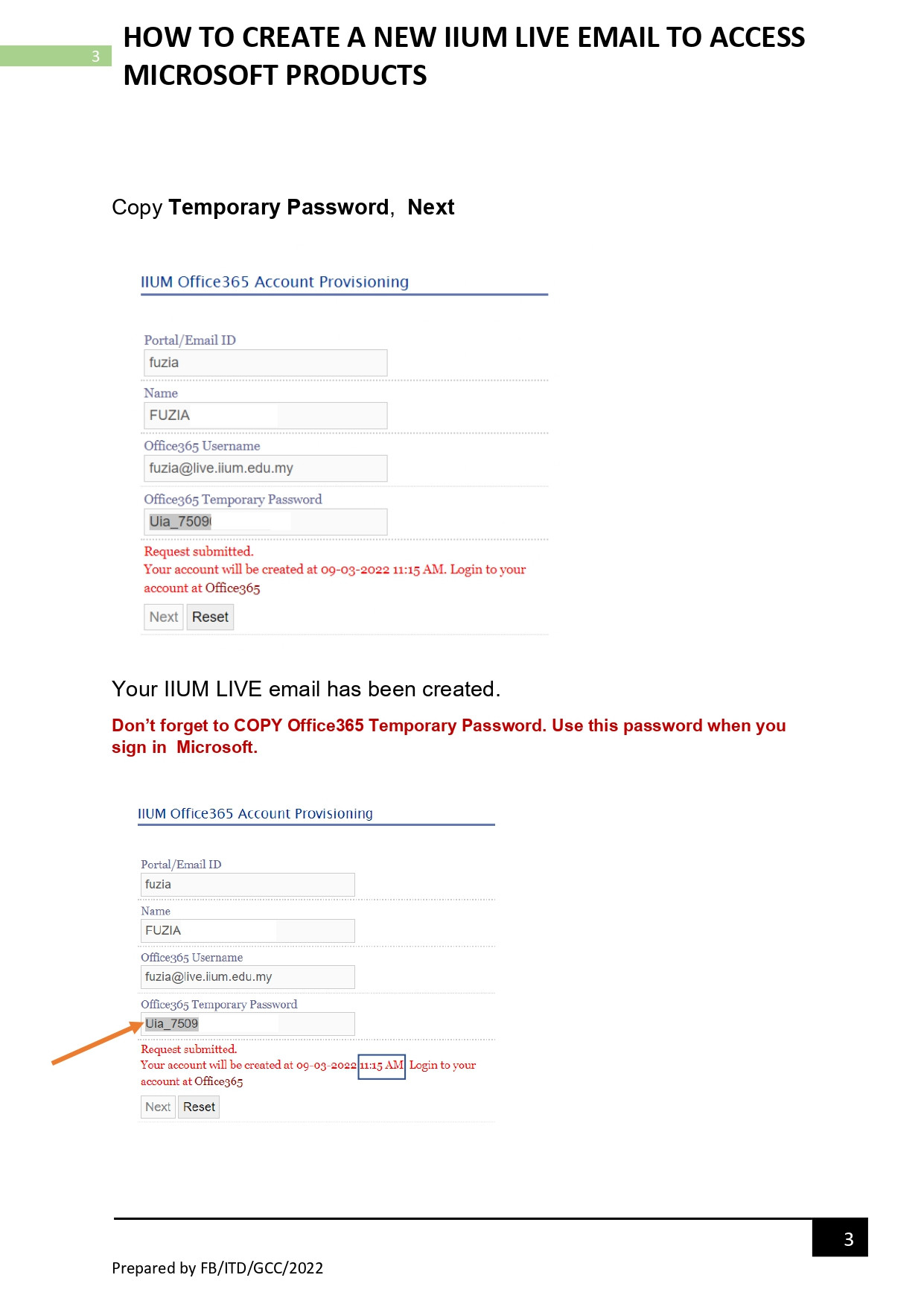
- Choose Subscribe to Microsoft Office365
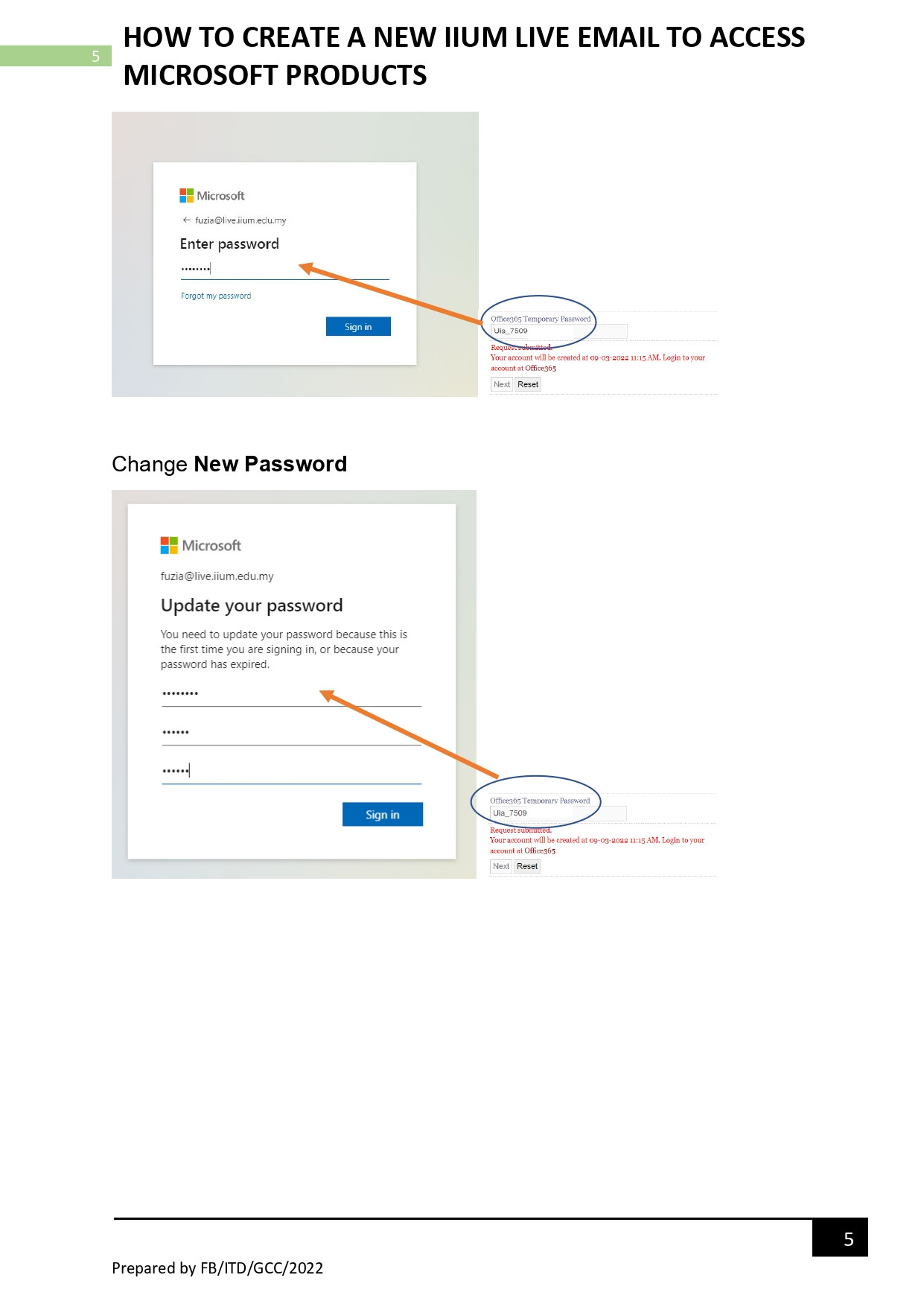
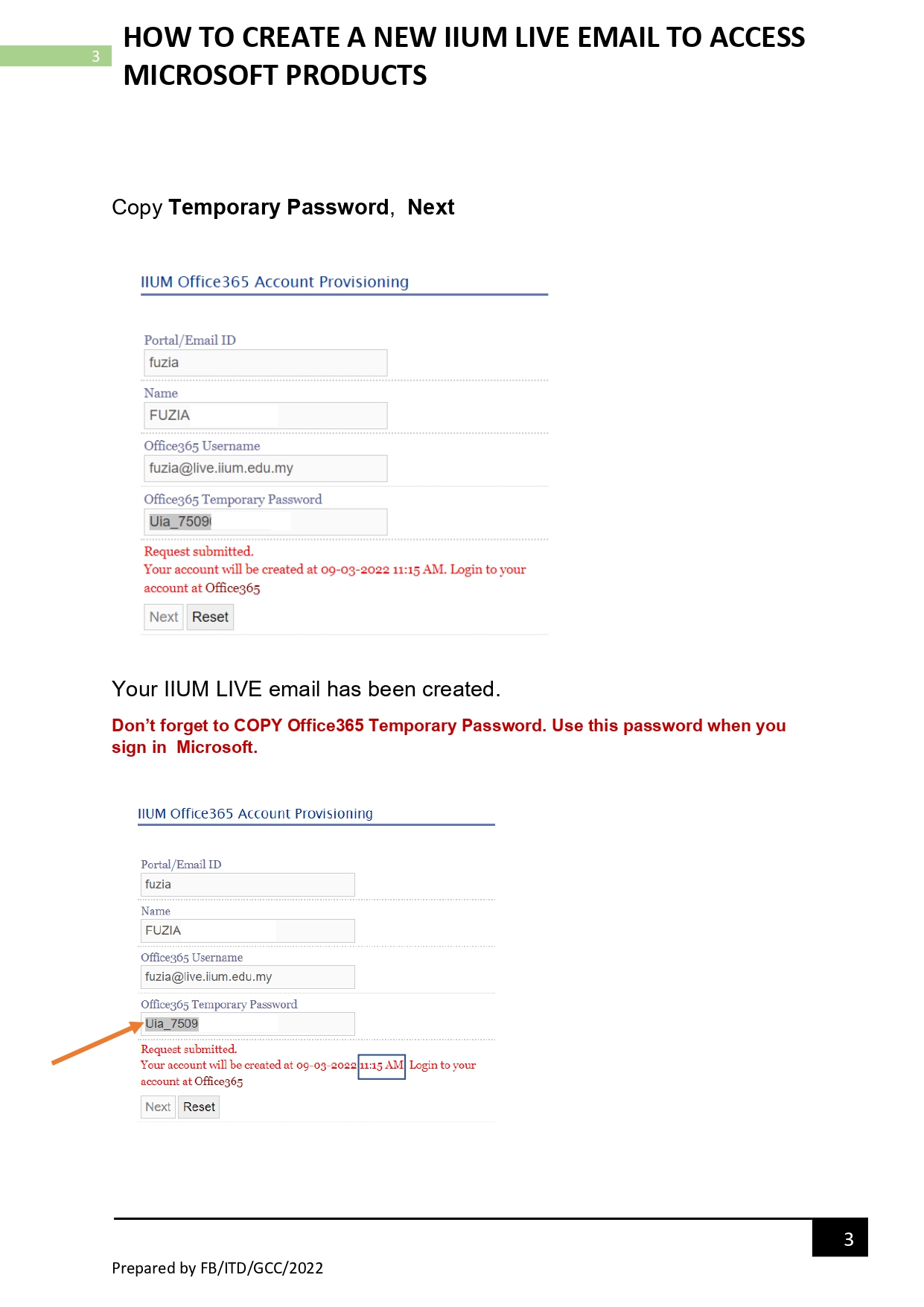
- Copy Temporary Password, Next
- Your IIUM LIVE email has been created.
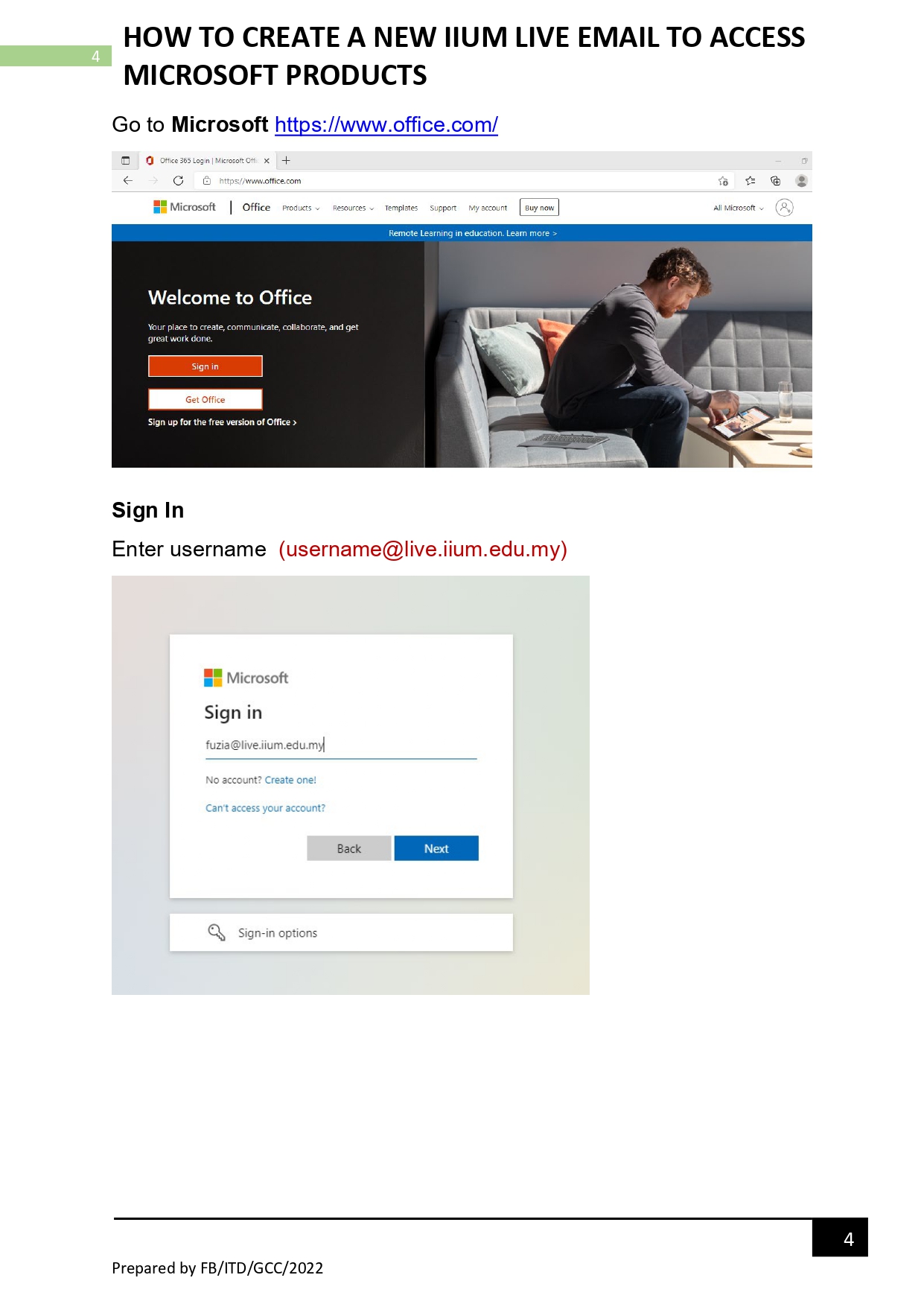
- Go to Microsoft Office
- Sign In
Enter username (username@live.iium.edu.my)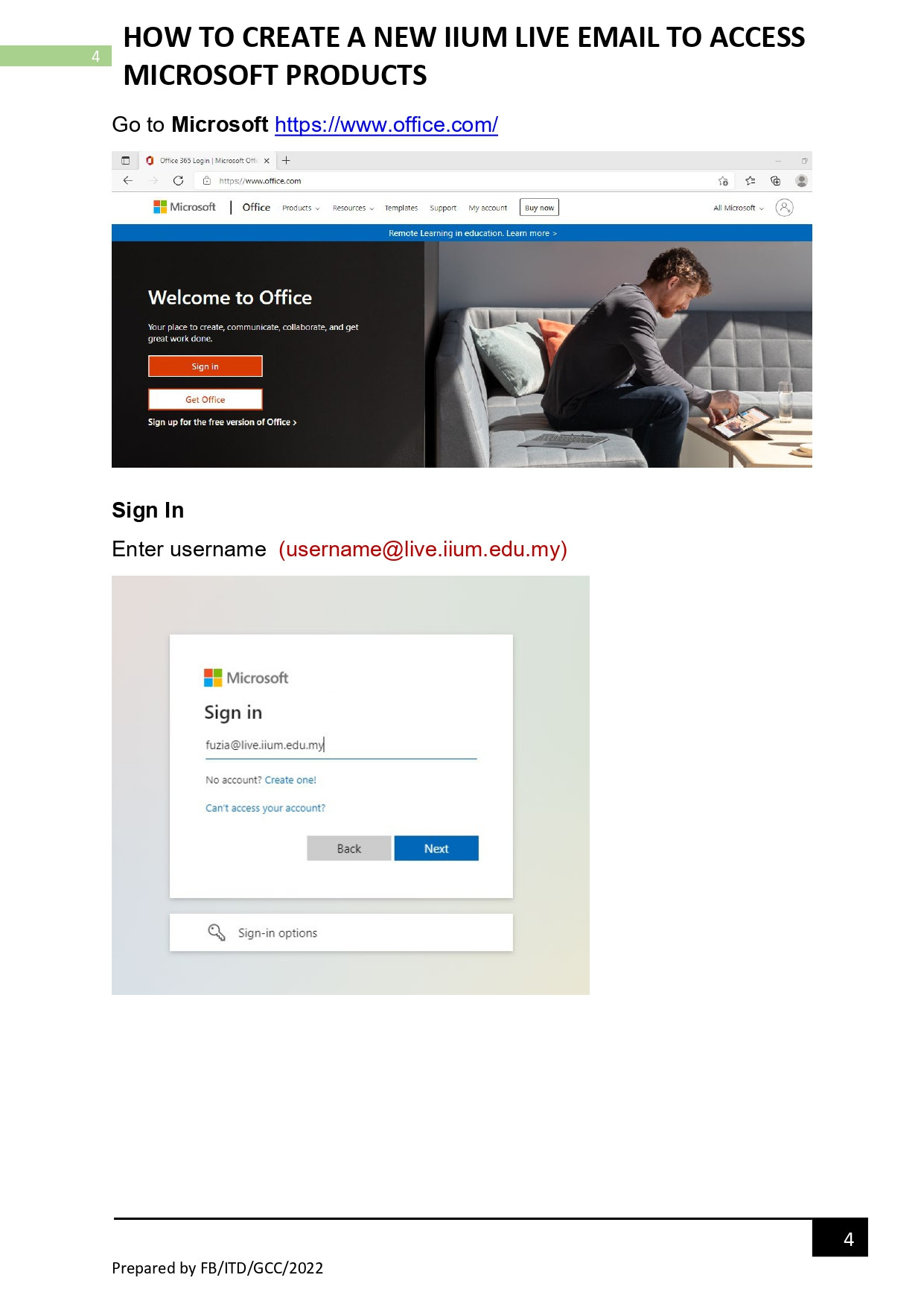
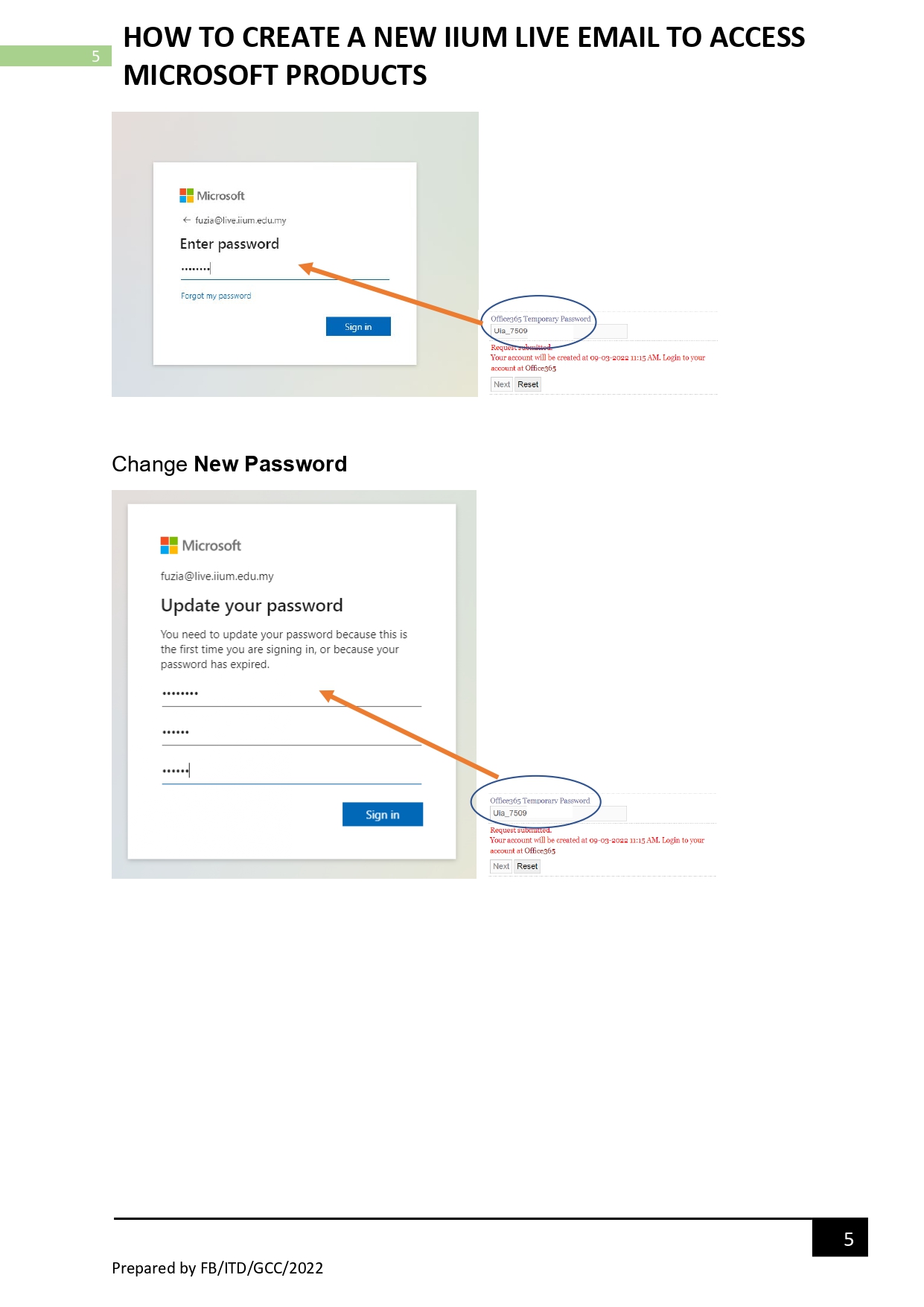
- Change to New Password
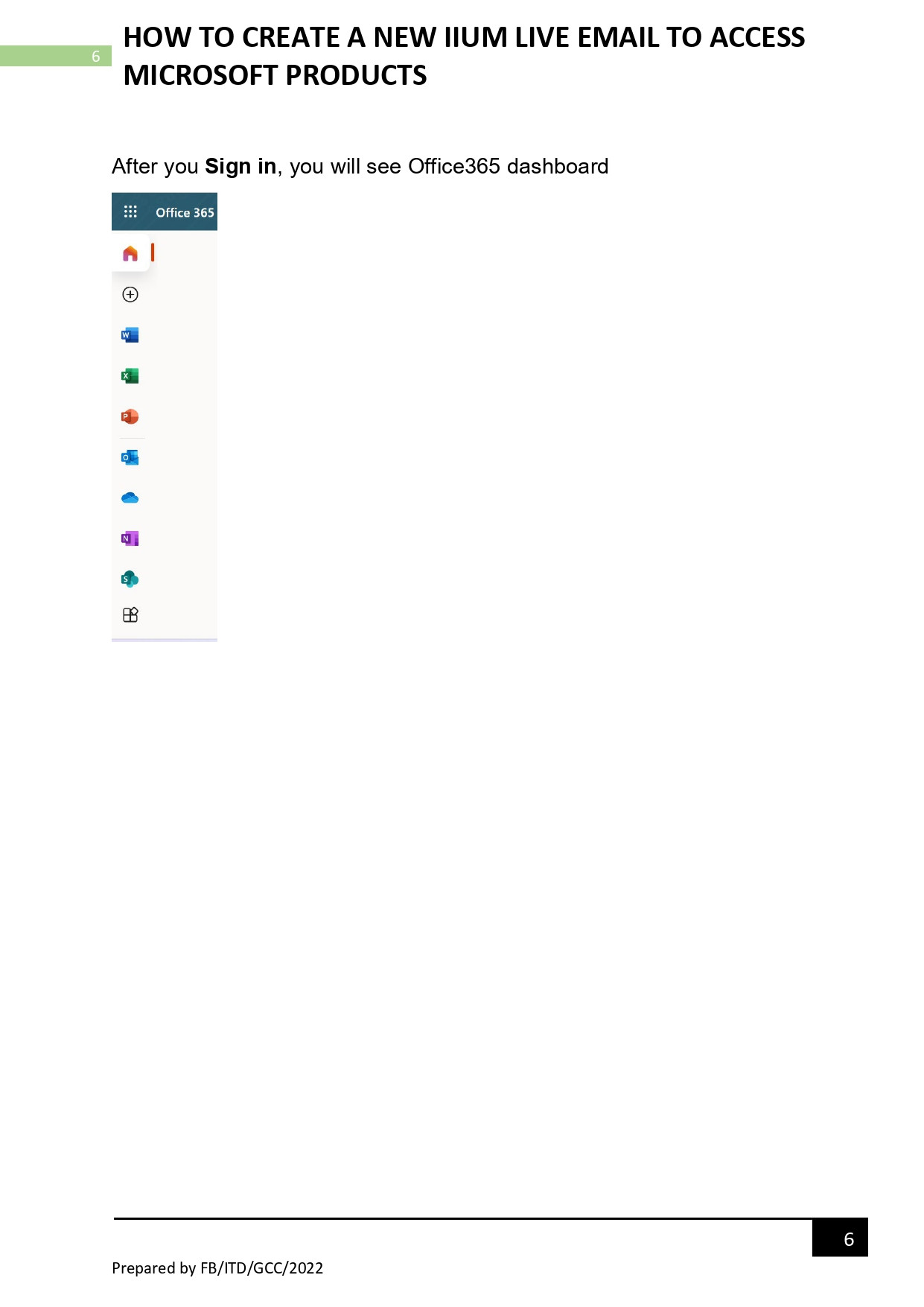
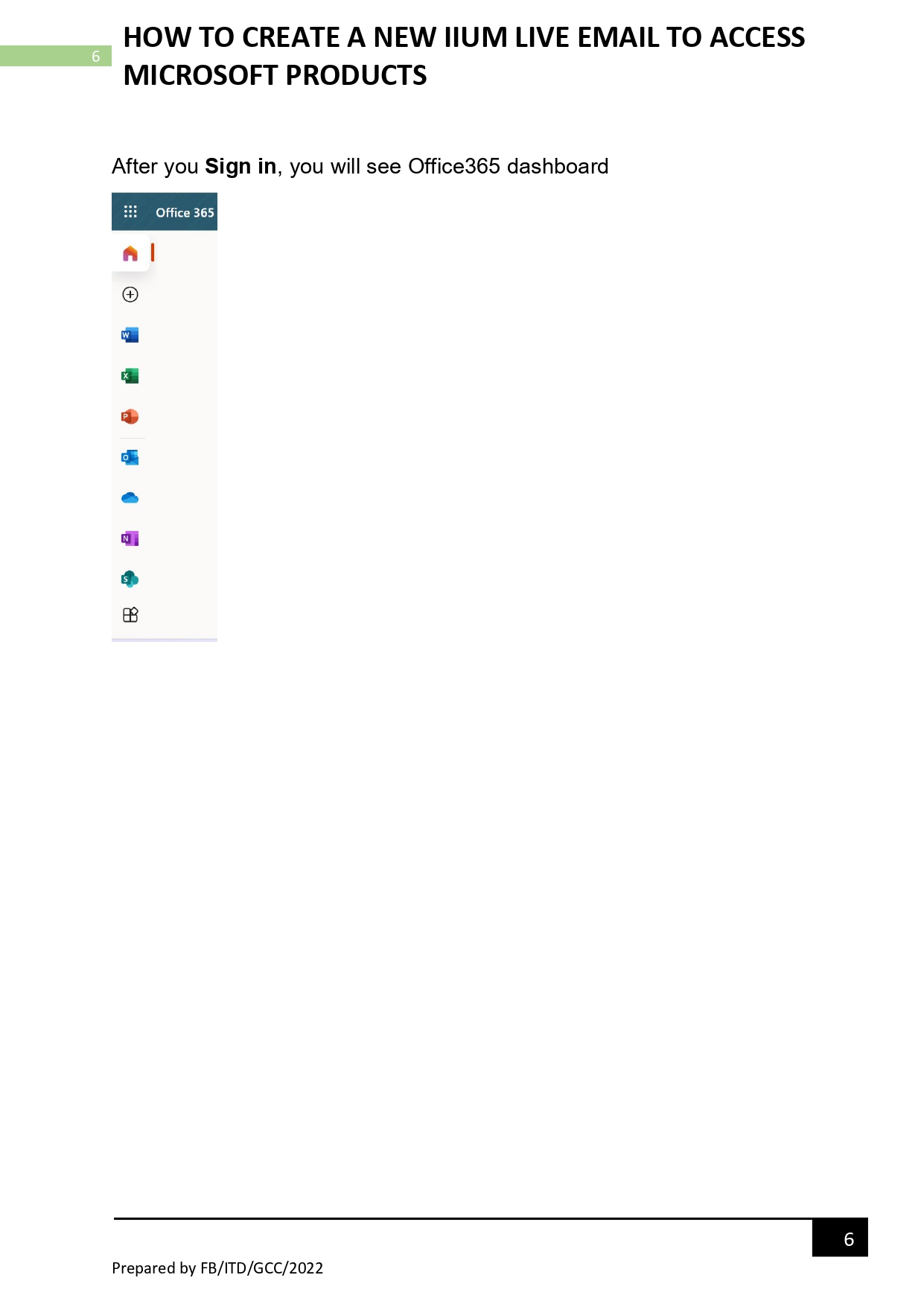
- After you Sign in, you will see Office365 dashboard
No Comments